A poker AI coach that remembers you
Import your Natural8 / GGPoker hand histories, then open any hand and ask.
It answers with your last 5,000 hands, the leaks you are fixing, and every word the two of you have said before.
Full access during the beta · Windows only for now · Screenshots show the app's current Chinese interface
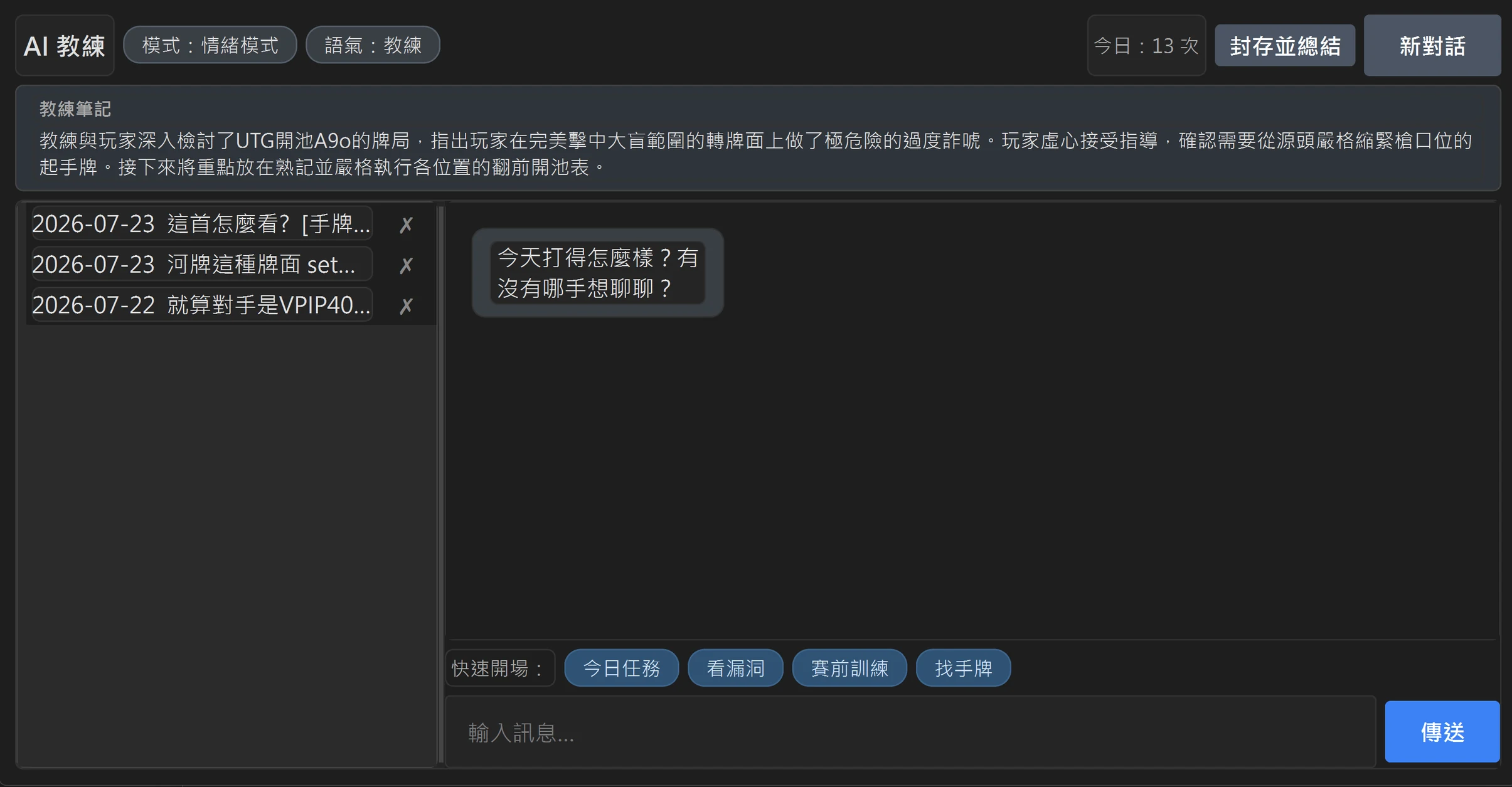
Two things everyone who pastes hands into a chatbot has run into
| A general AI chat | The RushCraft AI coach |
|---|---|
| A general AI chatYou introduce yourself every single time: "I play micro stakes, I'm in the SB and…" | The RushCraft AI coachOpen the hand and ask — it already has the whole record of that hand |
| A general AI chatThe longer the conversation runs, the more it forgets what you said earlier | The RushCraft AI coachIt answers with your stats across your last 5,000 hands and the leak you are working on |
| A general AI chatOne hand per conversation, and every conversation is an island | The RushCraft AI coachEvery conclusion you reached before is in your coach notes |
| A general AI chatHowever well it went, next time you open it you are strangers again | The RushCraft AI coachOpen it tomorrow and it knows where you left off |
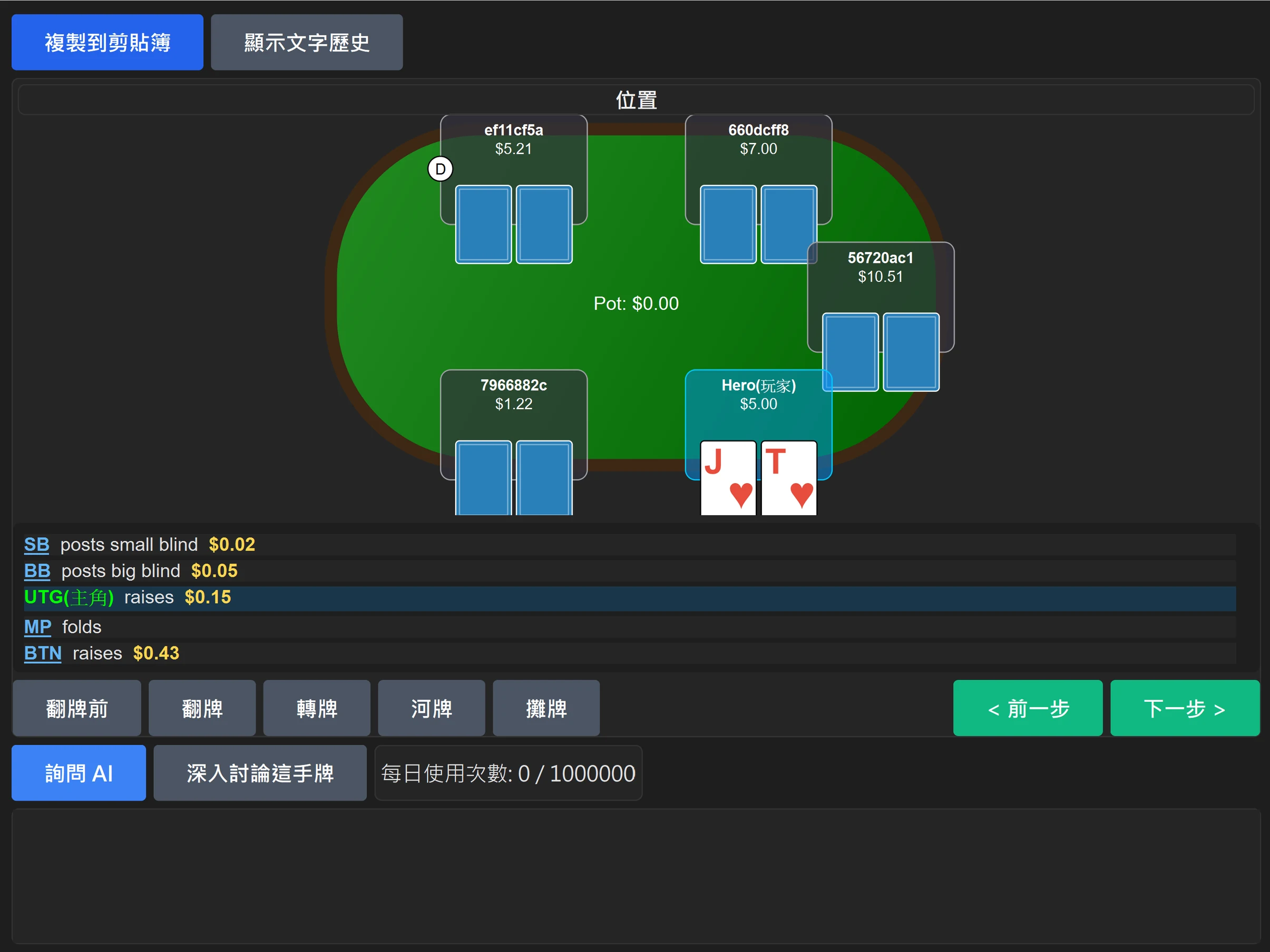
Open the hand that lost the most, and just ask
No copy-paste, no background story. Type "that AKs hand" in the chat and it finds the real hand in your history.
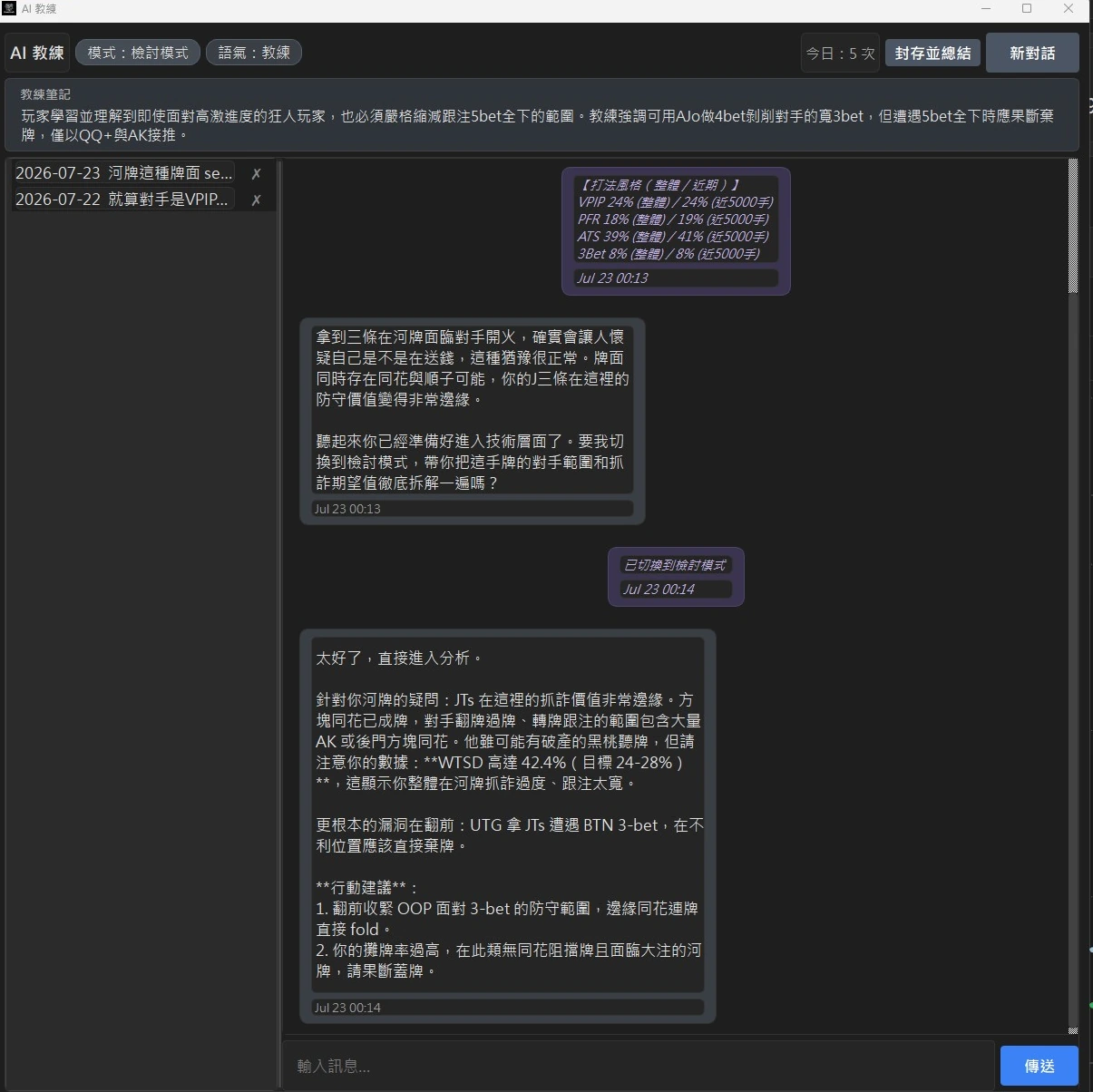
It takes the tilt, and it still tells you the truth
When you are steaming it listens first, the way a friend at the table would. Switch it to review mode and it tells you which street went wrong. "The line was fine, you just ran bad" and "your flop sizing was already too big" — the first one lets you sleep, the second one makes you better.
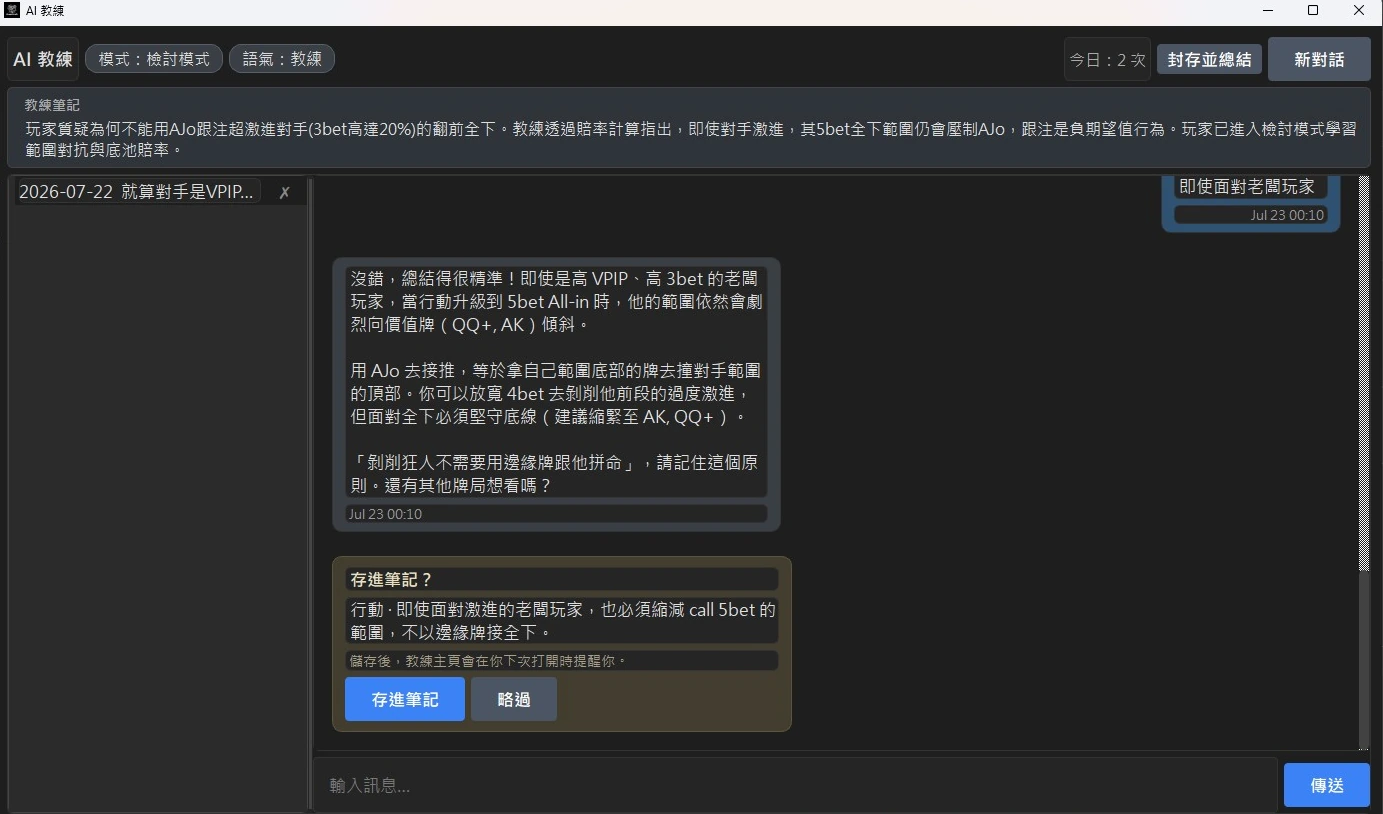
What you said becomes your notes
You finish reviewing that A9o and say it yourself: tighten the UTG opening range. One click saves it. Open the coach home the next day and it reminds you what to watch for, in your own words.
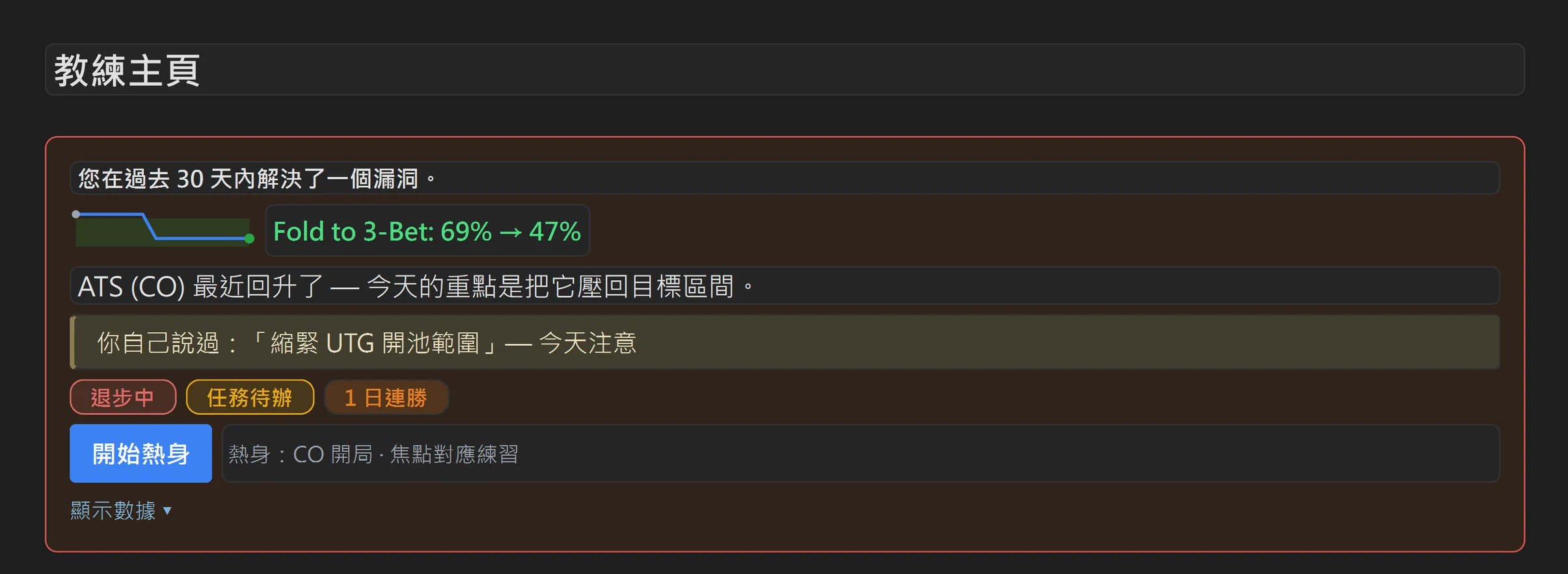
Diagnose, drill, track — end to end
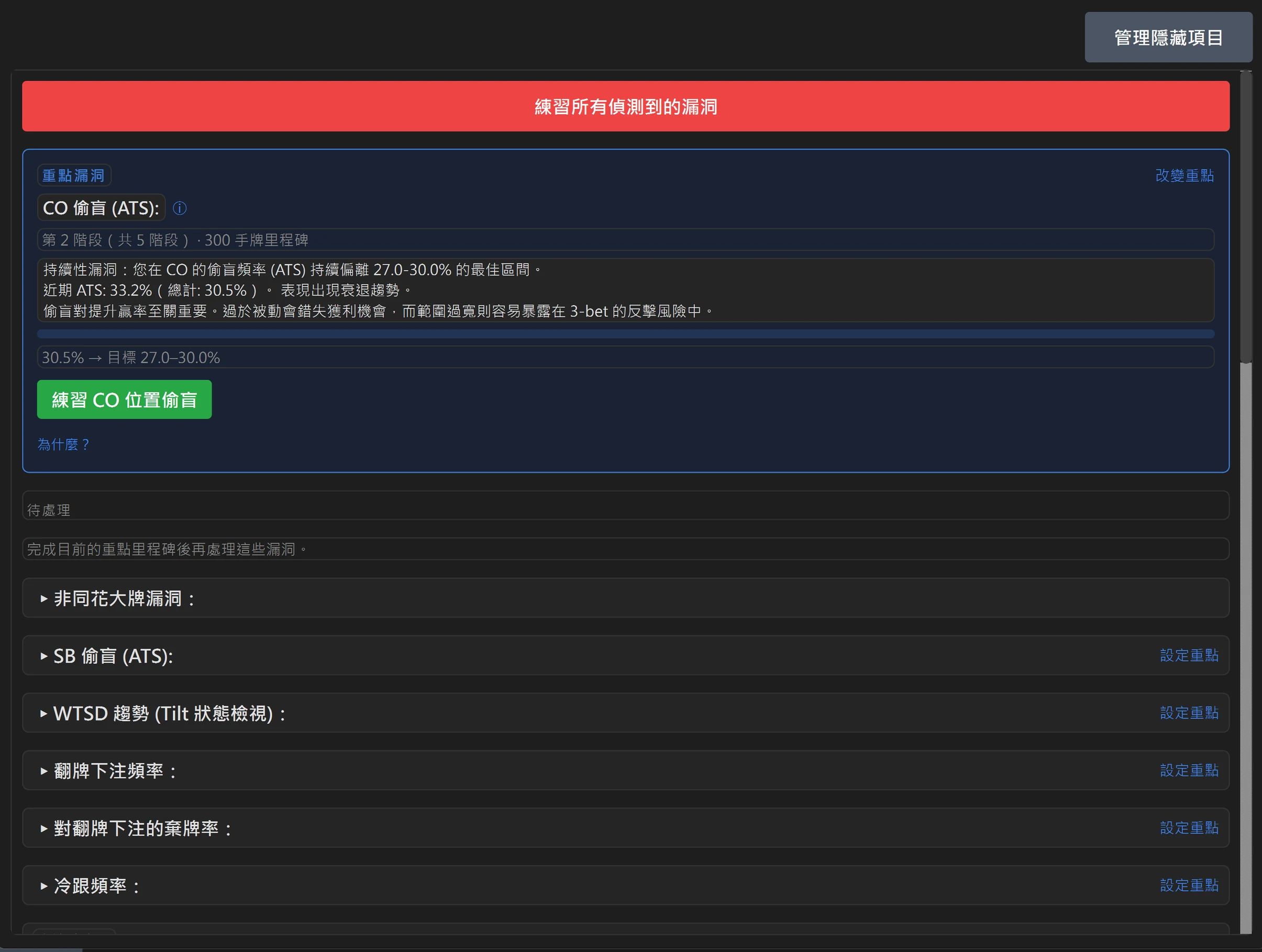
A full statistical diagnosis, and every leak has a drill one click away. It writes down exactly how far off you are — "CO steal (ATS): 33.2% recently, target 27.0–30.0%" — and which stage of that drill you have reached.
Nothing to download — open it and ask
The desktop app needs Windows and a hand history file. This entry needs neither: open it in a browser and put your question to the same AI coach.
- Just ask"How wide should I open from the button?" "How do I pick a c-bet size?" No screenshot, no hand history — open it and ask.
- Send a screenshot if you have oneThe AI reads the positions, the action and the pot, and gives you a street-by-street GTO review.
- Keep asking afterwards"Why can't I call here?" The conversation continues right under the analysis, with no need to explain the hand again.
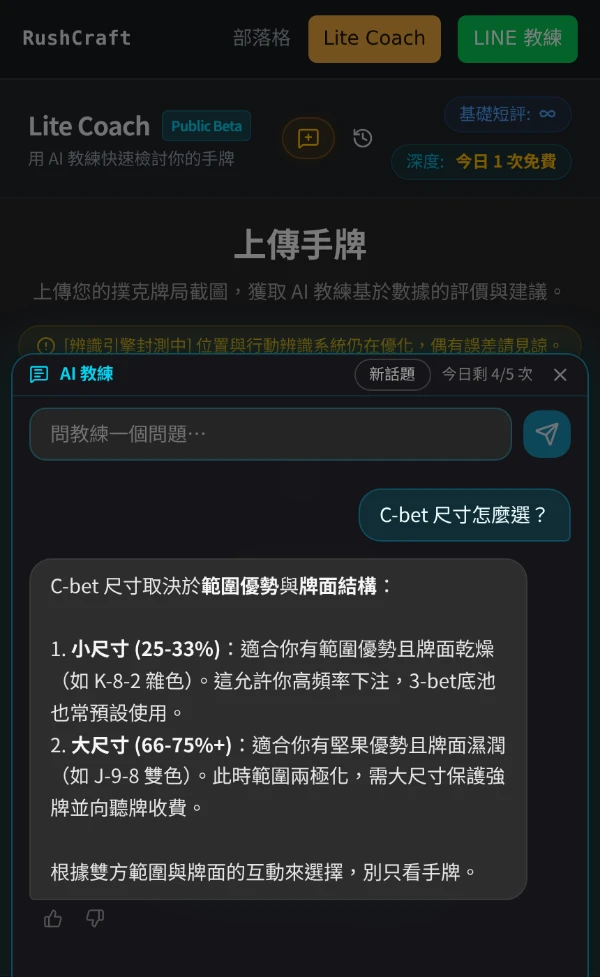
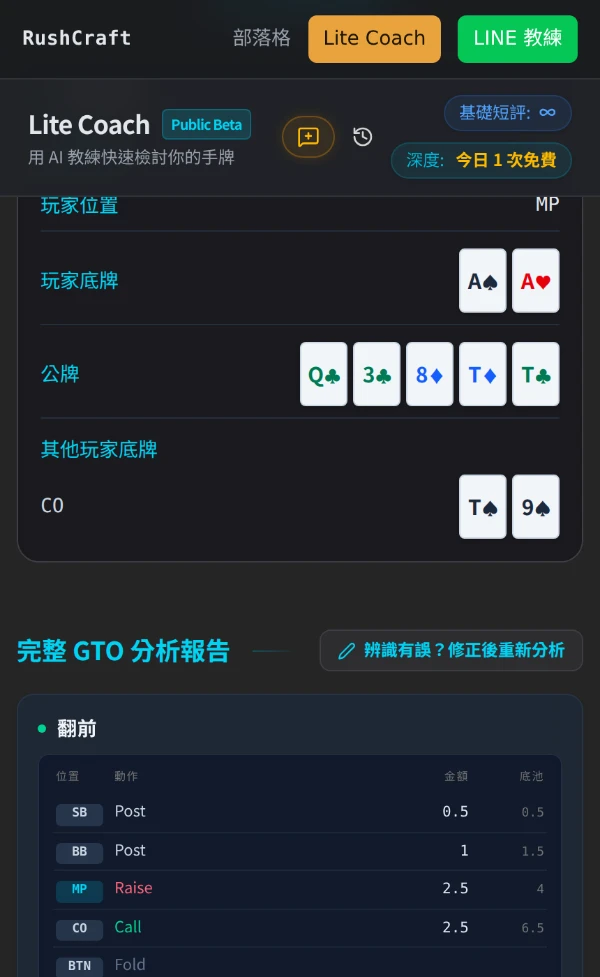
Lite Coach
Runs in the browser, on a phone or a desktop. Ask whenever you want; upload a screenshot when you have one.
Open Lite CoachNo sign-up and no download. The screenshot reader is still in closed beta and occasionally misreads a position or an action.
New to Texas Hold'em?
Everything above is for people already at the table. If you have only just heard of the game, or someone invited you and you want the rules first, the blog starts at the beginning: how hands rank, how the four streets are dealt, and why the blinds exist at all.
Come stress-test it
If you play on Natural8 / GGPoker and you already talk your hands through with an AI, this is the tool that was built for you.
Full access during the beta, and your feedback goes straight into what gets built next.